Parameters
| position | Rectangle on the screen to use for the label. |
| text | Text to display on the label. |
| image | Texture to display on the label. |
| content | Text, image and tooltip for this label. |
| style | The style to use. If left out, the label style from the current GUISkin is used. |
Description
Make a text or texture label on screen.
Labels have no user interaction, do not catch mouse clicks and are always rendered in normal style. If you want to make a control that responds visually to user input, use a Box control.
Example: Draw the classic Hello World! string: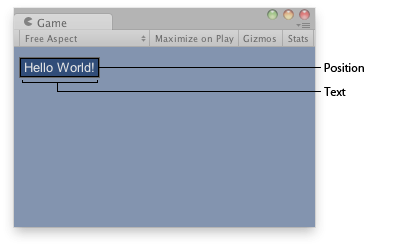
Text label on the Game View.
using UnityEngine;
using System.Collections;

public class ExampleClass : MonoBehaviour
{
    void OnGUI()
    {
        GUI.Label(new Rect(10, 10, 100, 20), "Hello World!");
    }
}
Example: Draw a texture on-screen. Labels are also used to display textures, instead of a string, simply pass in a texture: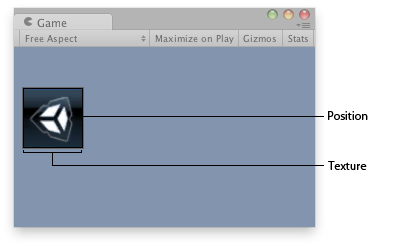
Texture Label.
using UnityEngine;
using System.Collections;

public class ExampleClass : MonoBehaviour
{
    public Texture2D textureToDisplay;

    void OnGUI()
    {
        GUI.Label(new Rect(10, 40, textureToDisplay.width, textureToDisplay.height), textureToDisplay);
    }
}